J-POS Point of sale for restaurants
The restaurant POS system that runs your shop from the first table to the shift close
Open tables, send orders to the kitchen, take PromptPay, count stock and see your sales, all in one system.
- Works on tablets, phones or PCs in a browser
- Keeps selling in the shop when the internet is down
- Staff screens in ไทย · English · မြန်မာ
Front-of-house problems → how the J-POS point of sale fixes them
Every feature runs every day at our pilot restaurant. “Learn more” opens that feature’s guide.
Floor plan
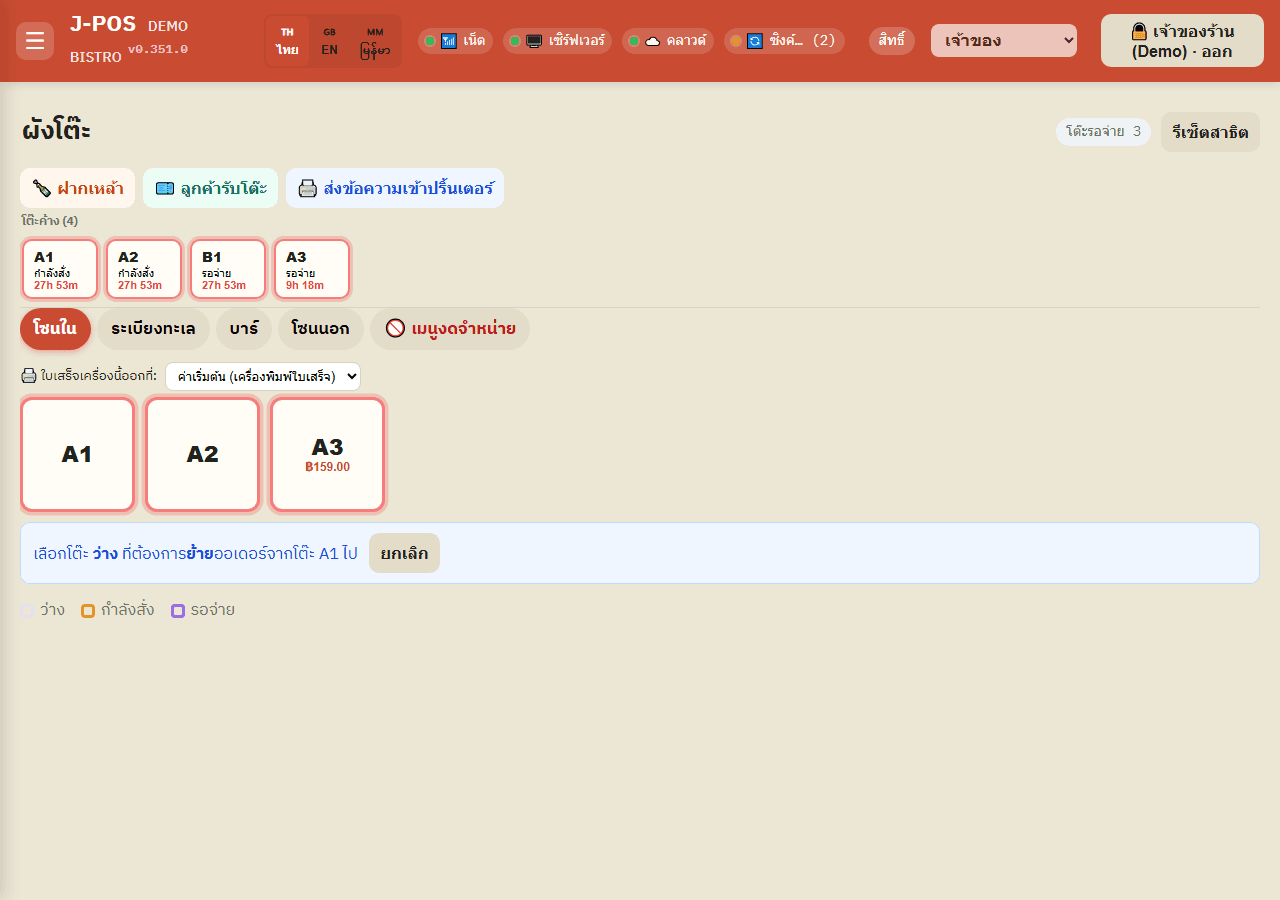
ProblemStaff shout across the room to find out which tables are free or still owe
With J-POSOne screen tells you which table needs you first
Kitchen / Bar
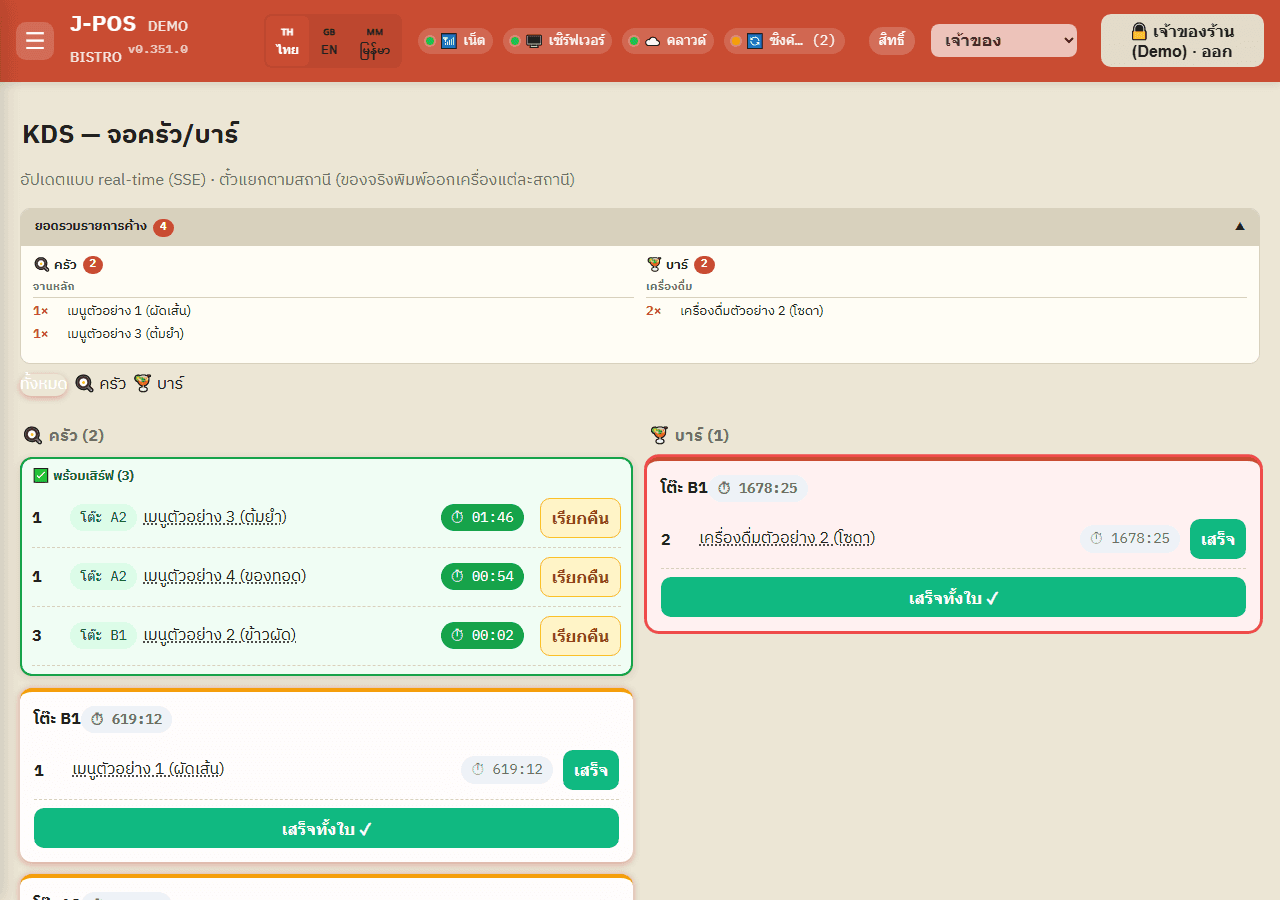
ProblemHandwritten or shouted orders go missing or reach the wrong table
With J-POSOrders reach the kitchen and bar screens with the table number: no handwriting, no shouting
Stock check
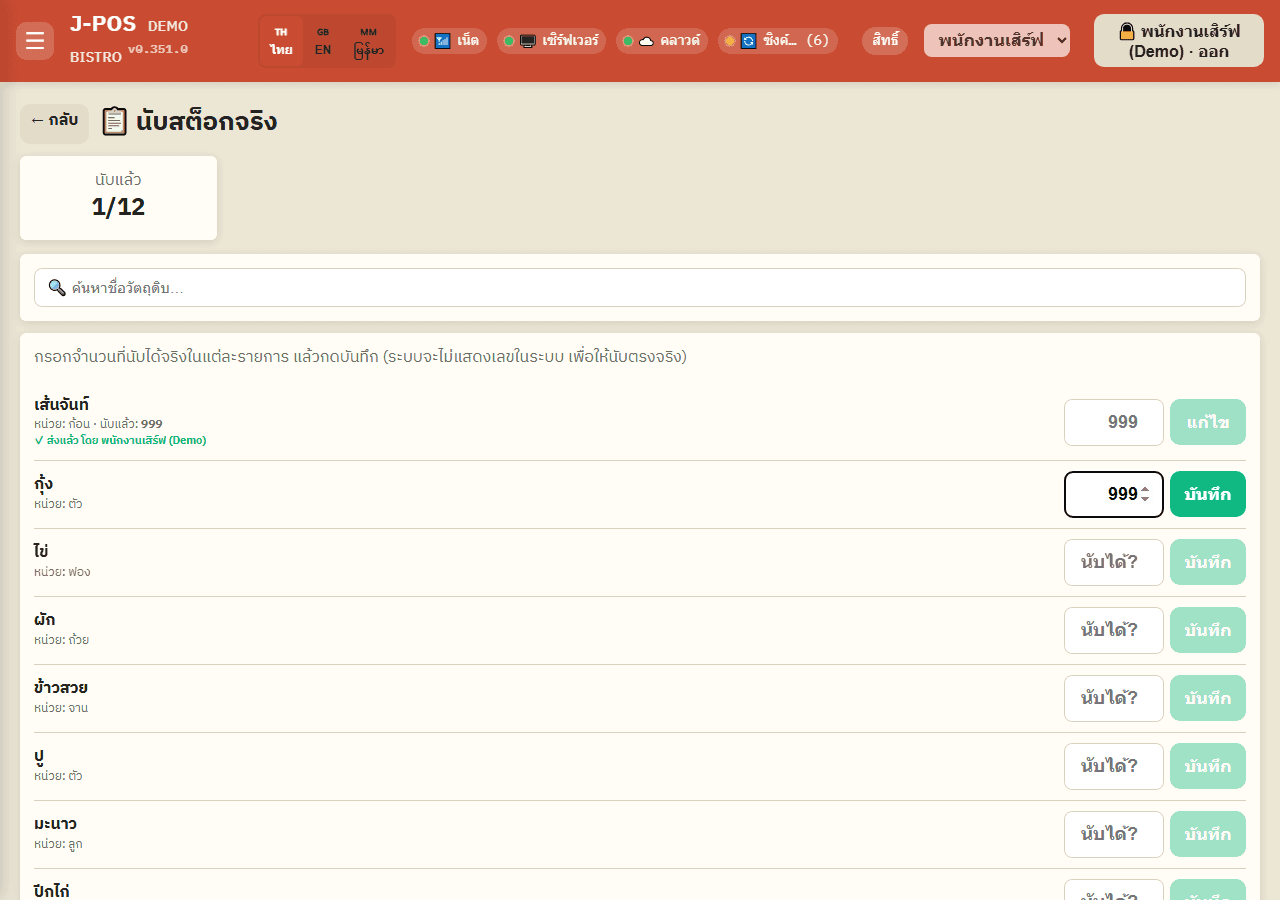
ProblemStaff copy the figure from the book instead of really counting
With J-POSReal counts instead of copied numbers
Billing / history
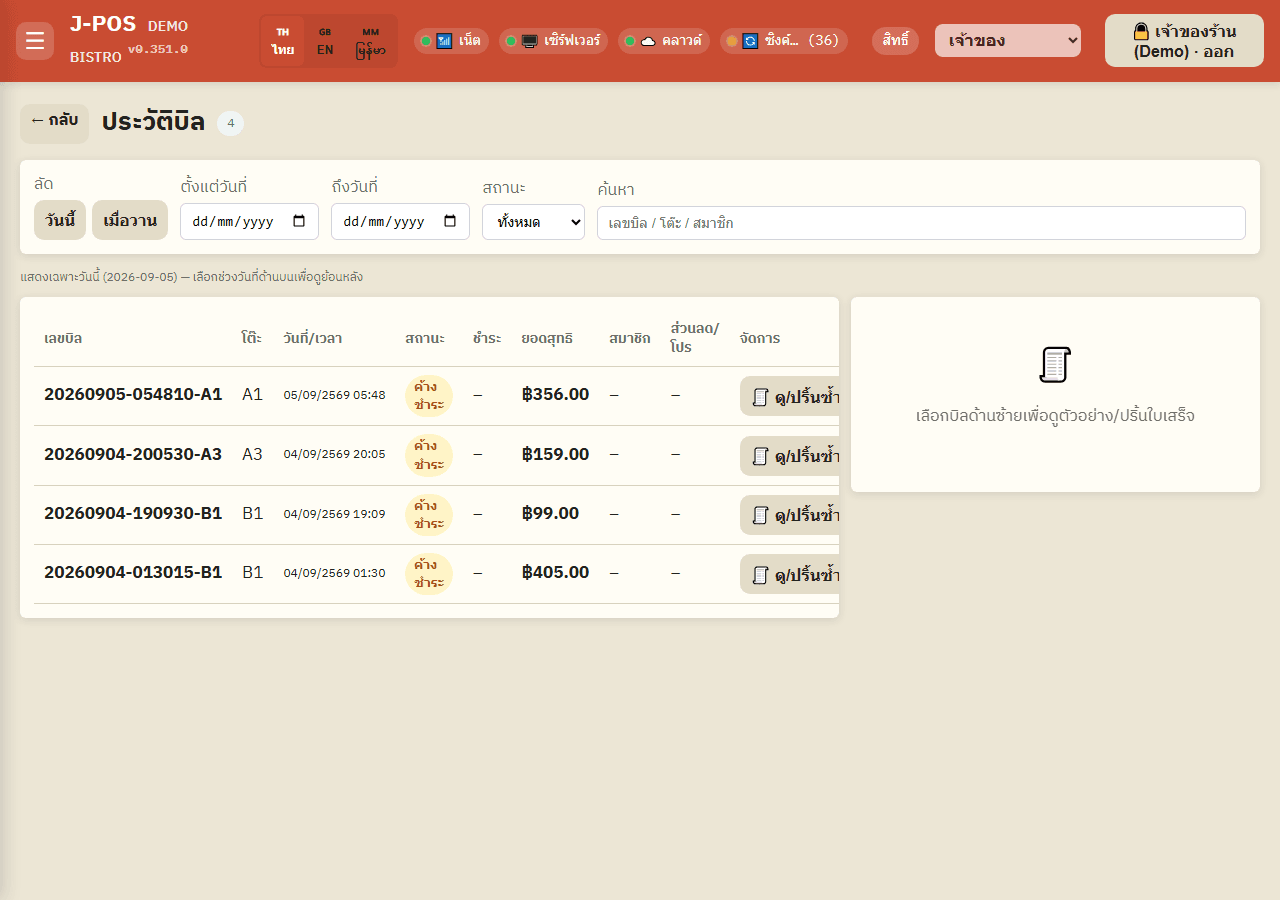
ProblemStaff give discounts or void items and nobody knows
With J-POSEvery staff-entered discount and every void has an approver's name on it
Table reservations
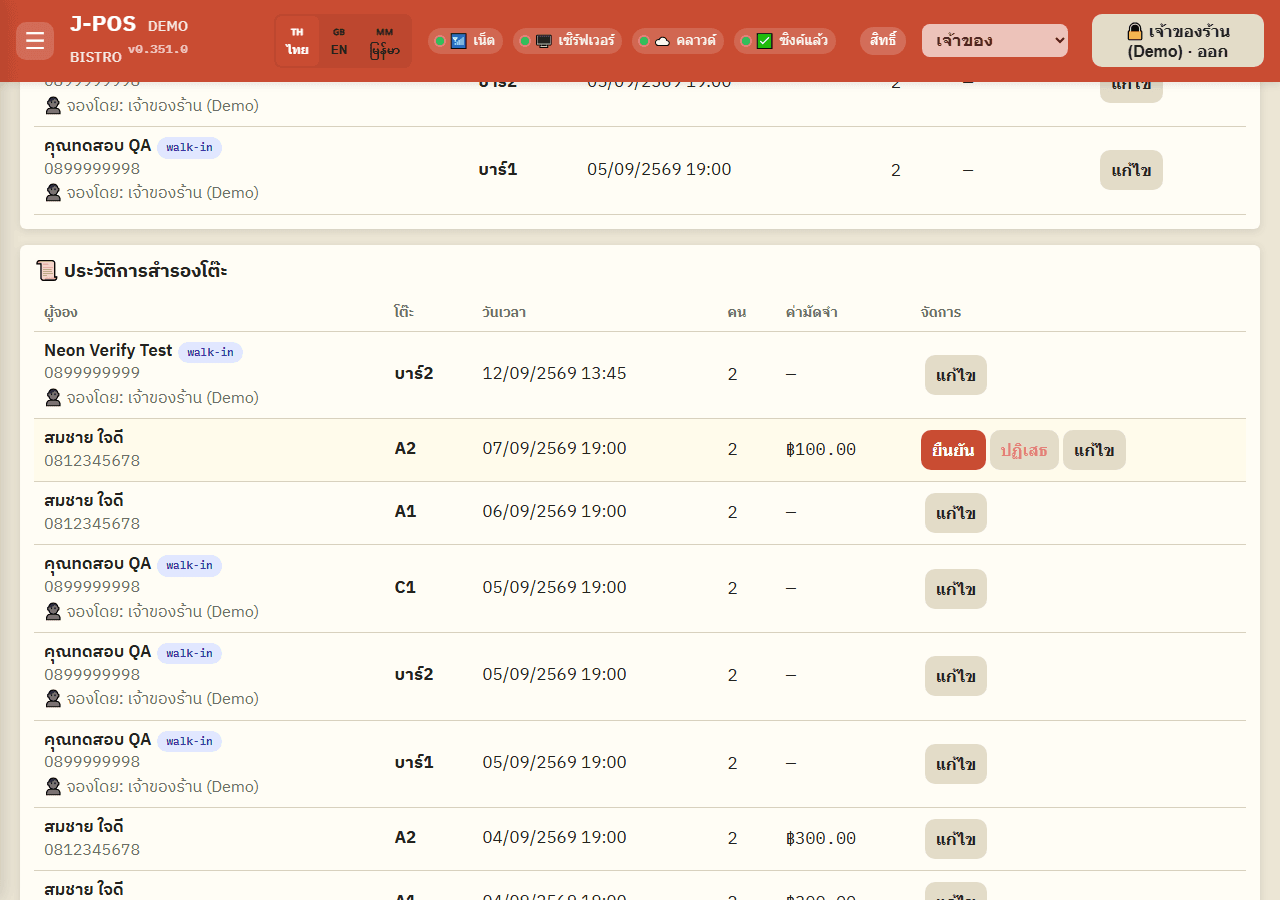
ProblemPhone bookings go in a notebook and the same table gets booked twice
With J-POSNo more notebook, no more double bookings
Shift history
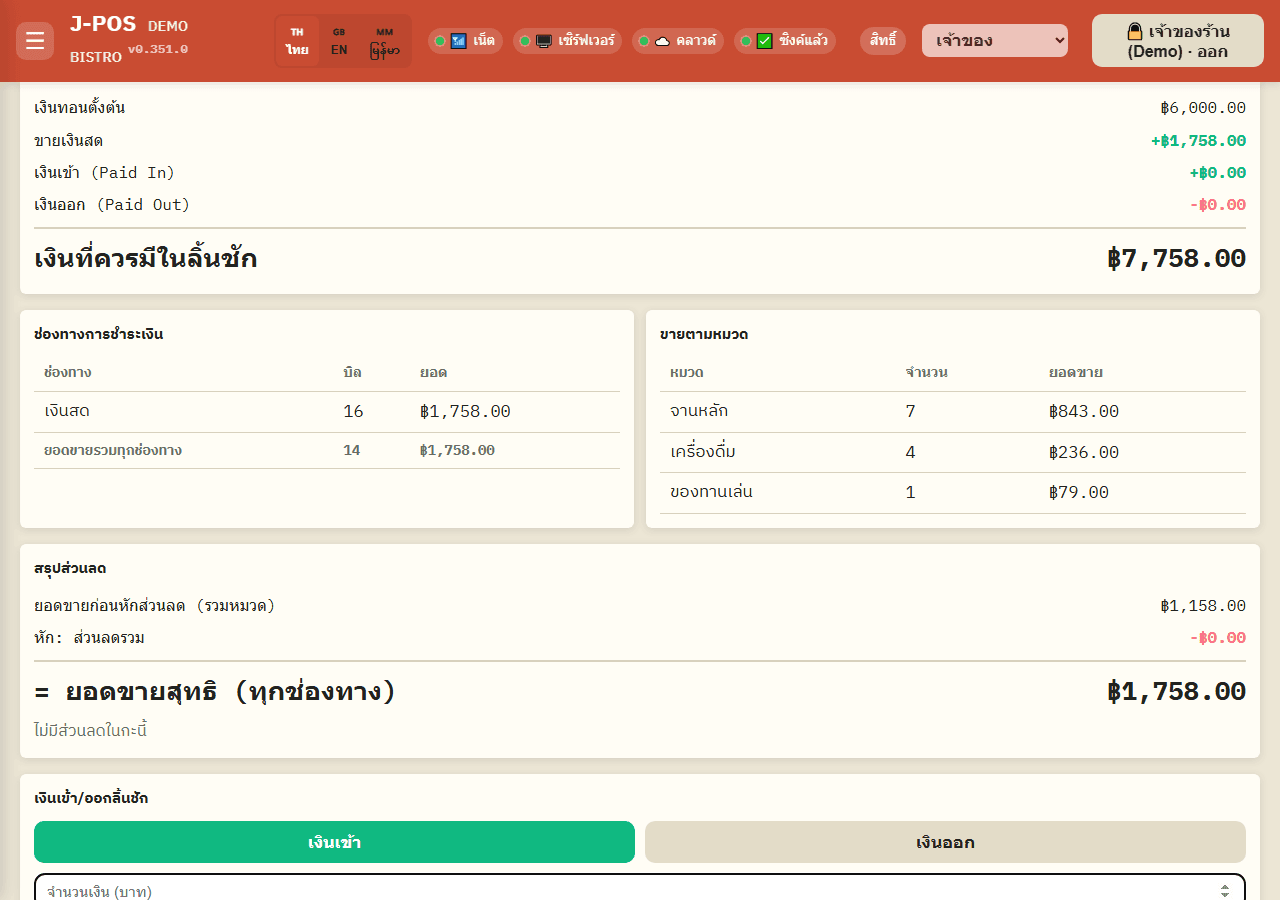
ProblemThe cash at closing doesn't match the sales
With J-POSYou know right away how much is over or short
Reports
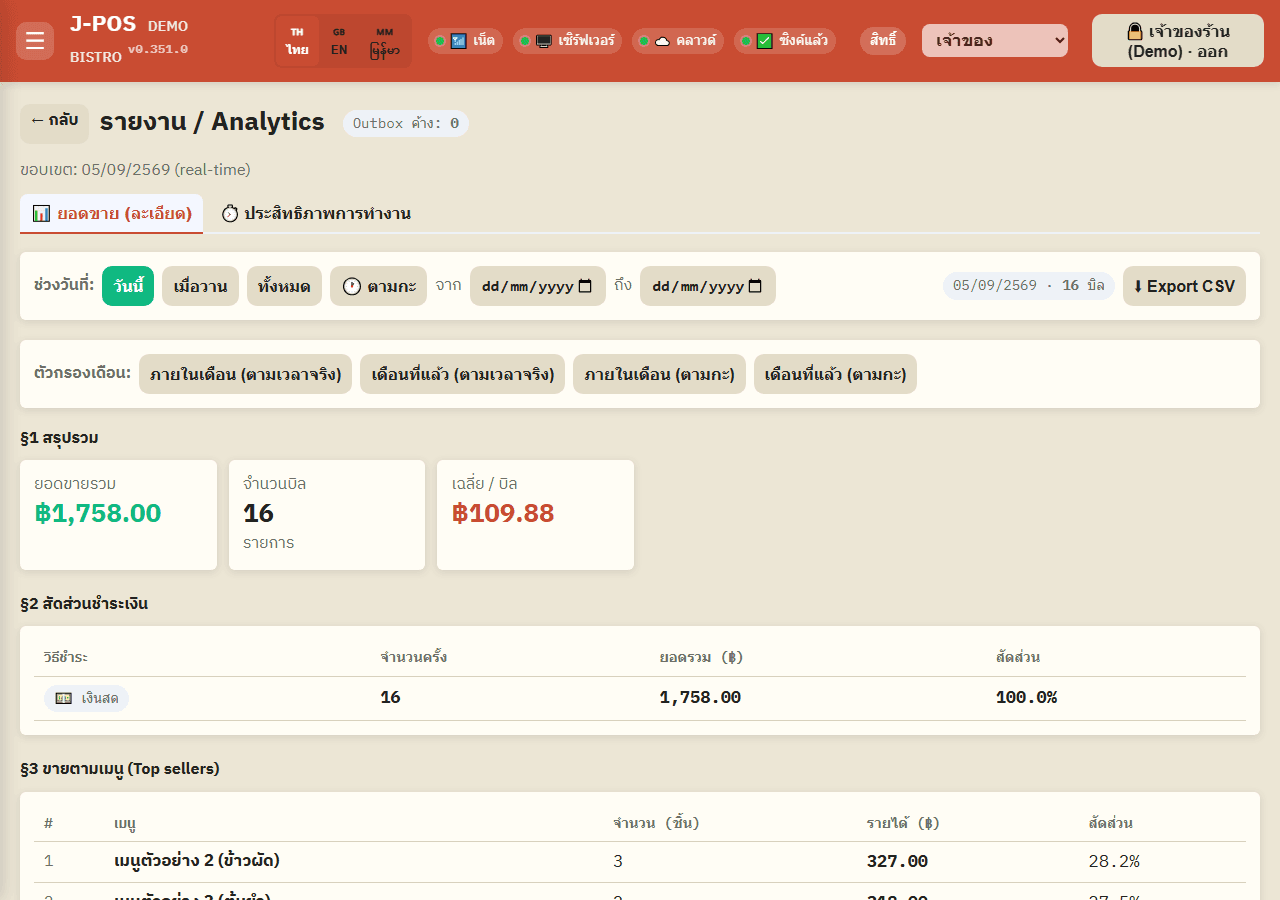
ProblemAdding up the paper totals every night
With J-POSNo more adding up by hand: pick a period and it's there
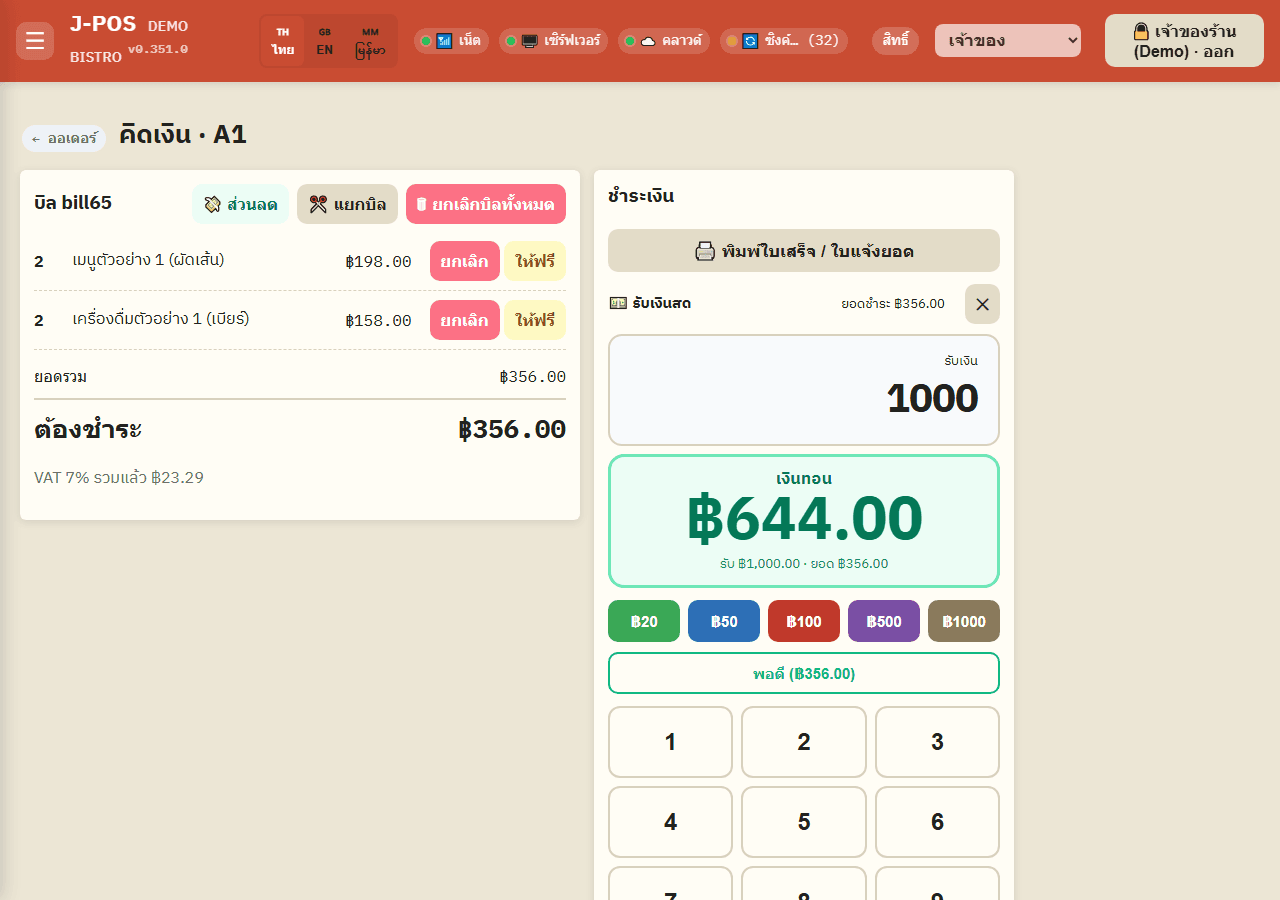
PromptPay
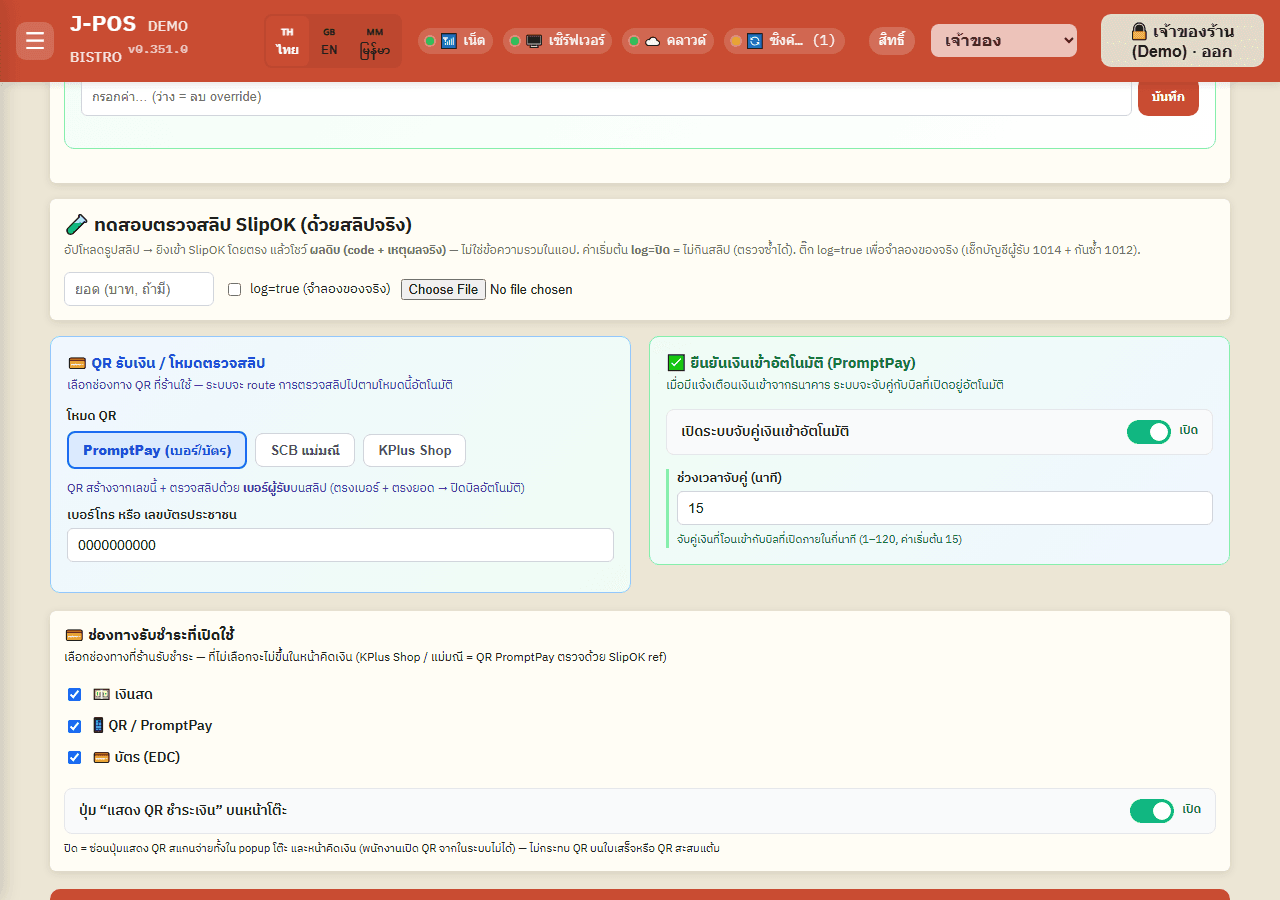
ProblemGuests type the amount themselves and send too little or too much
With J-POSGuests don't type the amount when the QR carries it, so it matches the bill
Data sync
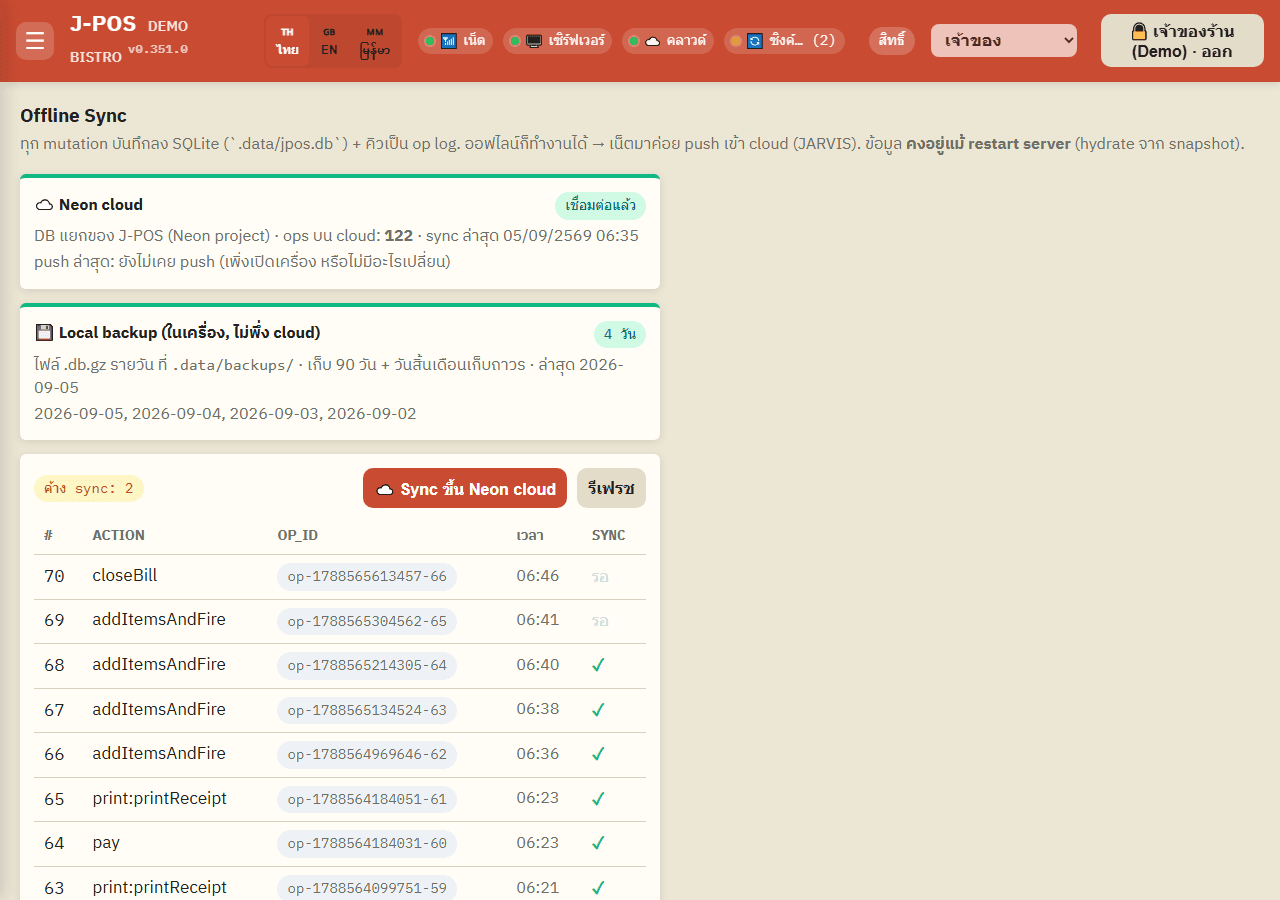
ProblemThe internet drops at the busiest moment and you can't take payment
With J-POSYou keep selling in the shop when the internet is down
Every card shows a real J-POS screen (Thai interface; English and Burmese are available too).
Start with J-POS in 3 steps
Try the sample Back Office
Open the demo Back Office right now. Online sign-up opens soon.
Set up your shop
Add table zones, the menu, printers and staff with their PINs. The Library has step-by-step guides with screenshots.
Start selling
Tablets, phones and PCs in the shop open J-POS in a browser and all see the same tables and orders.
What restaurants say
The reviews on this screen are samples that show the layout. They are not from real customers yet.
Pricing
Pick the plan that fits the size of your shop
Sample plans — real details coming soon
Frequently asked questions
Do I need to be online all the time?
No. Selling in the shop (opening tables, ordering, sending to the kitchen, taking payment) keeps working on the shop network when the internet is down. Members, points, table booking and bottle keep need the internet. The recipe book still shows recipes already loaded on that device, but editing, saving and printing recipes need the internet.
Which devices does it run on?
The shop has one main machine, and any tablet, phone or computer on the shop network opens J-POS in a web browser. Receipt and kitchen printers connect over the network; receipts support 58 mm and 80 mm paper.
Which languages does it support?
Staff screens are in Thai, English and Burmese. Kitchen tickets can use a different language per printer (Thai, English or Burmese). Customer receipts print in Thai or English.
Can I take PromptPay?
Yes. J-POS makes a PromptPay QR with the bill amount already in it, so customers don't type the amount. Slips can be checked automatically with SlipOK (a separate paid service), or incoming money can be matched from bank notifications on an Android phone (KBank and SCB SMS, and Mae Manee). Card terminals are not connected; staff type the amount in.
How is my sales data backed up?
Every sale is saved on the shop's main machine first, then sent to the cloud in batches, about every 15 minutes and at every shift close. There is a daily backup both in the cloud and on the machine. If you set up a new machine, J-POS restores its data from the cloud.
Does it work for several branches?
Today J-POS runs one shop with many devices in it. Multi-branch support is in development (coming soon). If you have several branches, contact sales about the Chain plan.
How do staff log in, and can I limit what they can do?
Staff log in with their own PIN. There are 5 roles (Owner, Manager, Assistant Manager, Cashier, Server), and the owner can change what each role may do. Discounts entered by staff and item cancellations need the PIN of someone allowed to approve them.
Can it issue full tax invoices?
Not yet. J-POS prints receipts, and prices in the system always include 7% VAT. Full tax invoices and e-Tax are not available.
Do I have to buy the main machine or other hardware myself?
Sample answer (to be confirmed)
The shop needs one main machine on site; tablets, phones or computers you already have open J-POS in a browser. Receipt and kitchen printers connect over the network. Which hardware you supply and which comes with a plan will be announced when J-POS opens.
Is there a setup fee?
Sample answer (to be confirmed)
Setup and first-time configuration terms are still being decided. They will be announced with the real plans.
How long is the contract, and can I cancel?
Sample answer (to be confirmed)
Contract length and cancellation terms are still being decided. They will be announced with the real plans.
Can I try it first?
Sample answer (to be confirmed)
You can tour the sample Back Office right now (with sample shop data), or sign up online and start with your own shop.
Who owns my shop's data?
Sample answer (to be confirmed)
Sales, menu and customer data are your shop's data, and sales can be exported as CSV. The full data policy will be published when J-POS opens.
The J-POS Library
25 step-by-step guides covering every feature, with real screenshots, in Thai, English and Burmese. Have a look before you decide.
Open the Library