BOOK 25/25Staff & system
Data sync
The in-shop server saves sales locally first. If the internet drops, ordering, billing, ticket printing and shifts keep working on the shop network, and data goes up to the cloud in batches once it's back (members, points and bookings need the internet). Built for many devices in one shop.
Check sync status and sync manually
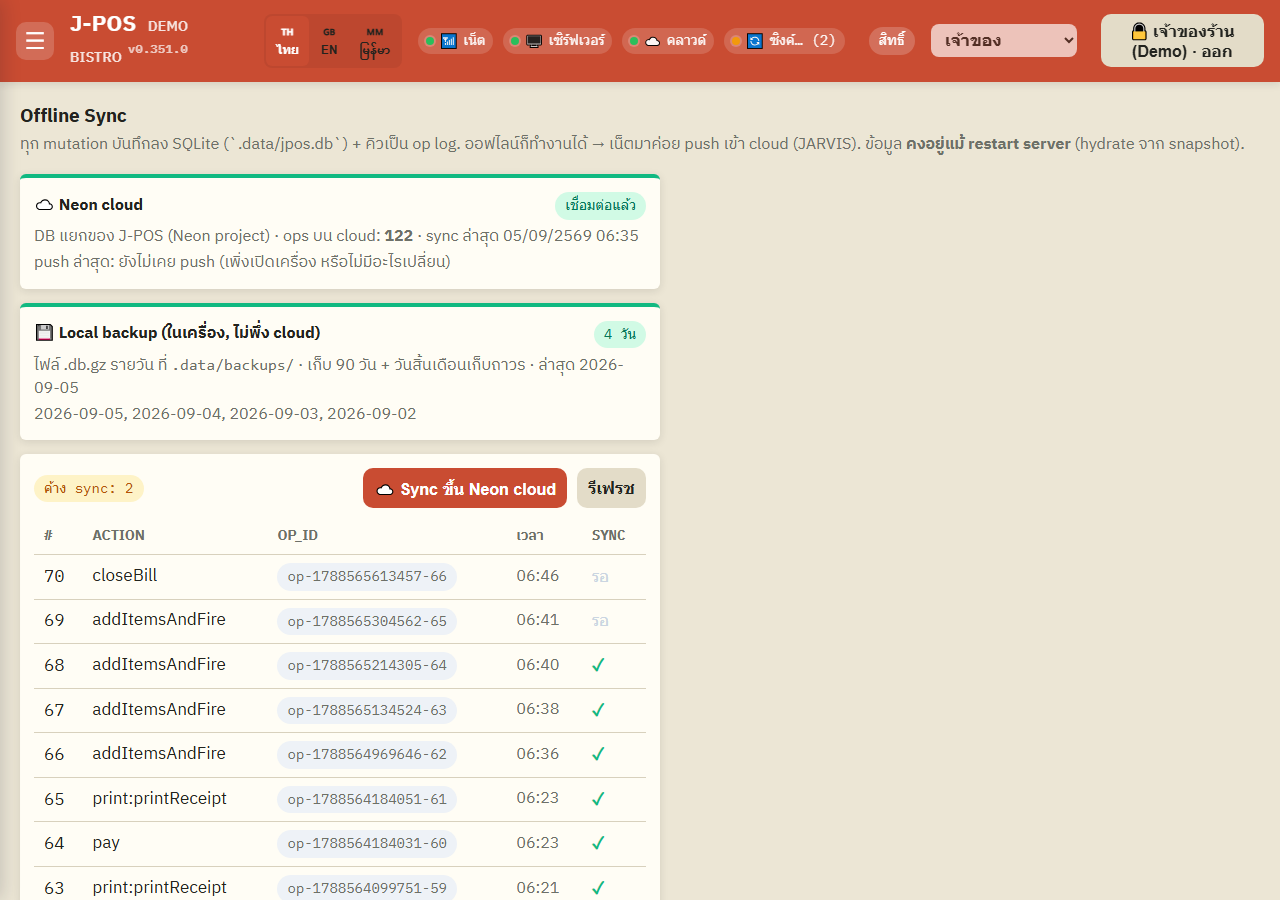
Open the Sync page
Every change (placing an order, closing a bill, adjusting stock, etc.) is always saved to the in-shop machine first, so the system keeps working even if the internet drops. Data survives a machine restart too, since it always recovers from the latest local snapshot.
Open full size Check the central database connection status
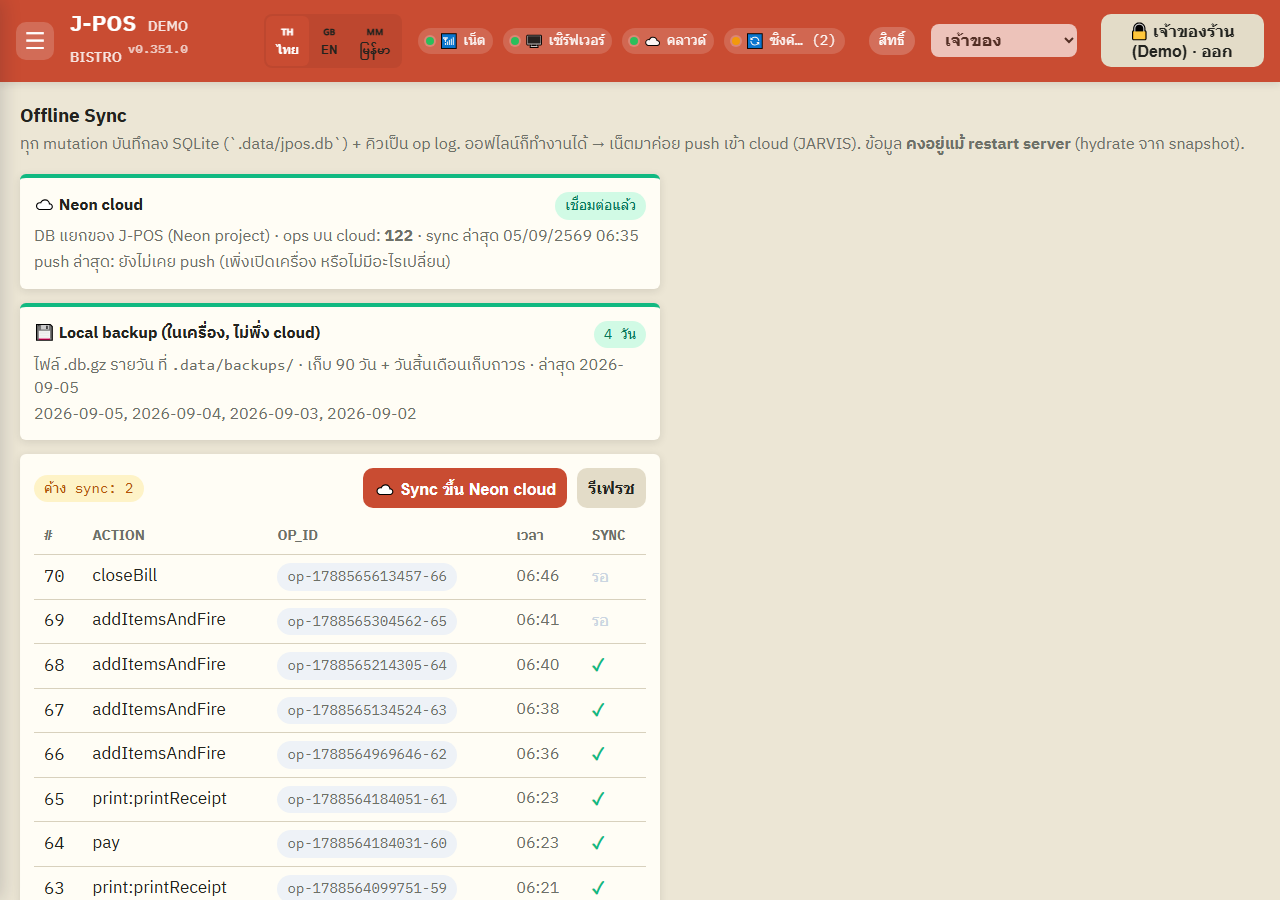
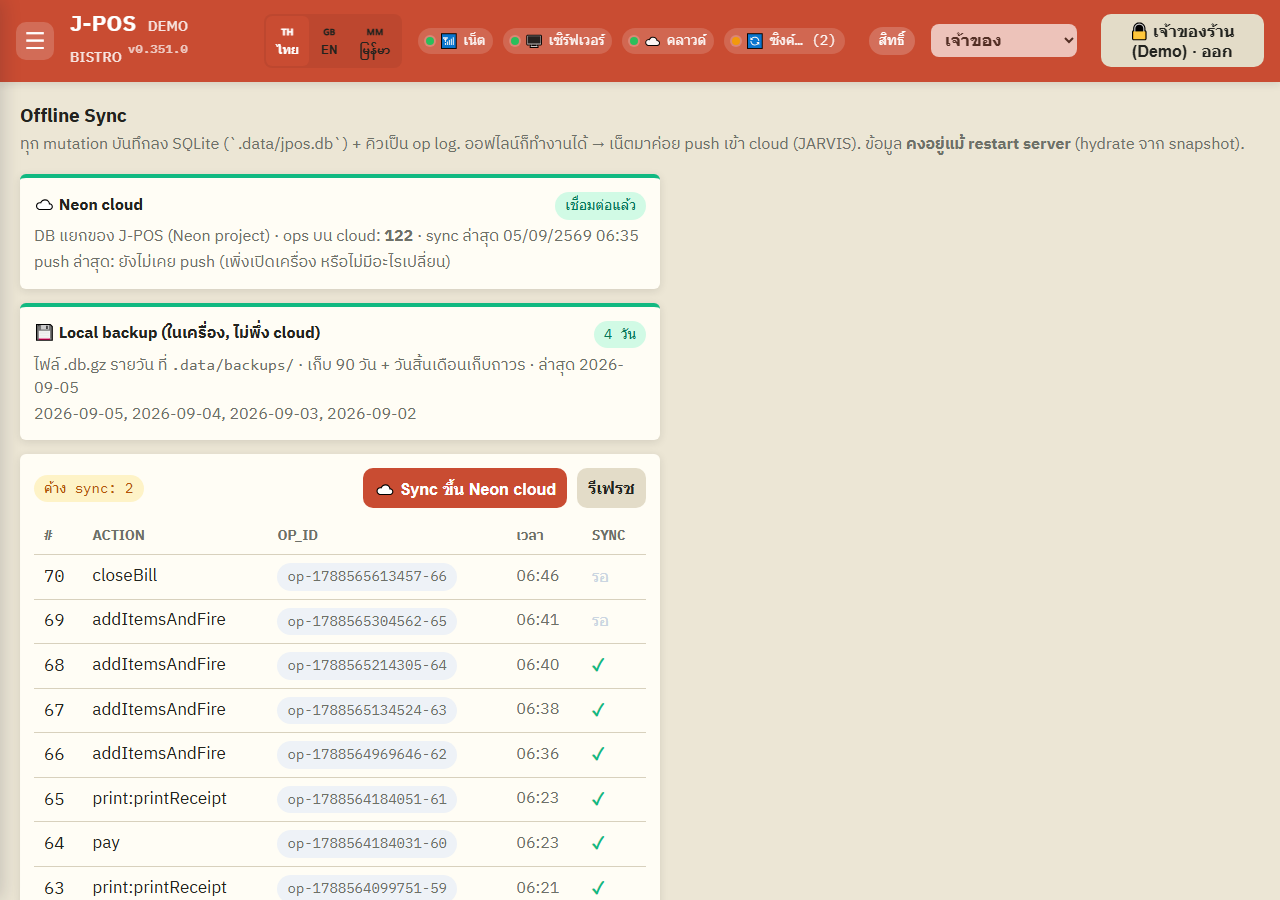
The “Neon cloud” card shows whether this machine is currently connected to the central database, how many records are already on the cloud, and when it last synced.
A “last push” line also shows whether the most recent push attempt succeeded or failed, with a timestamp and error message if there is one — useful for quickly diagnosing why data isn't updating.
Open full size Trigger a manual sync
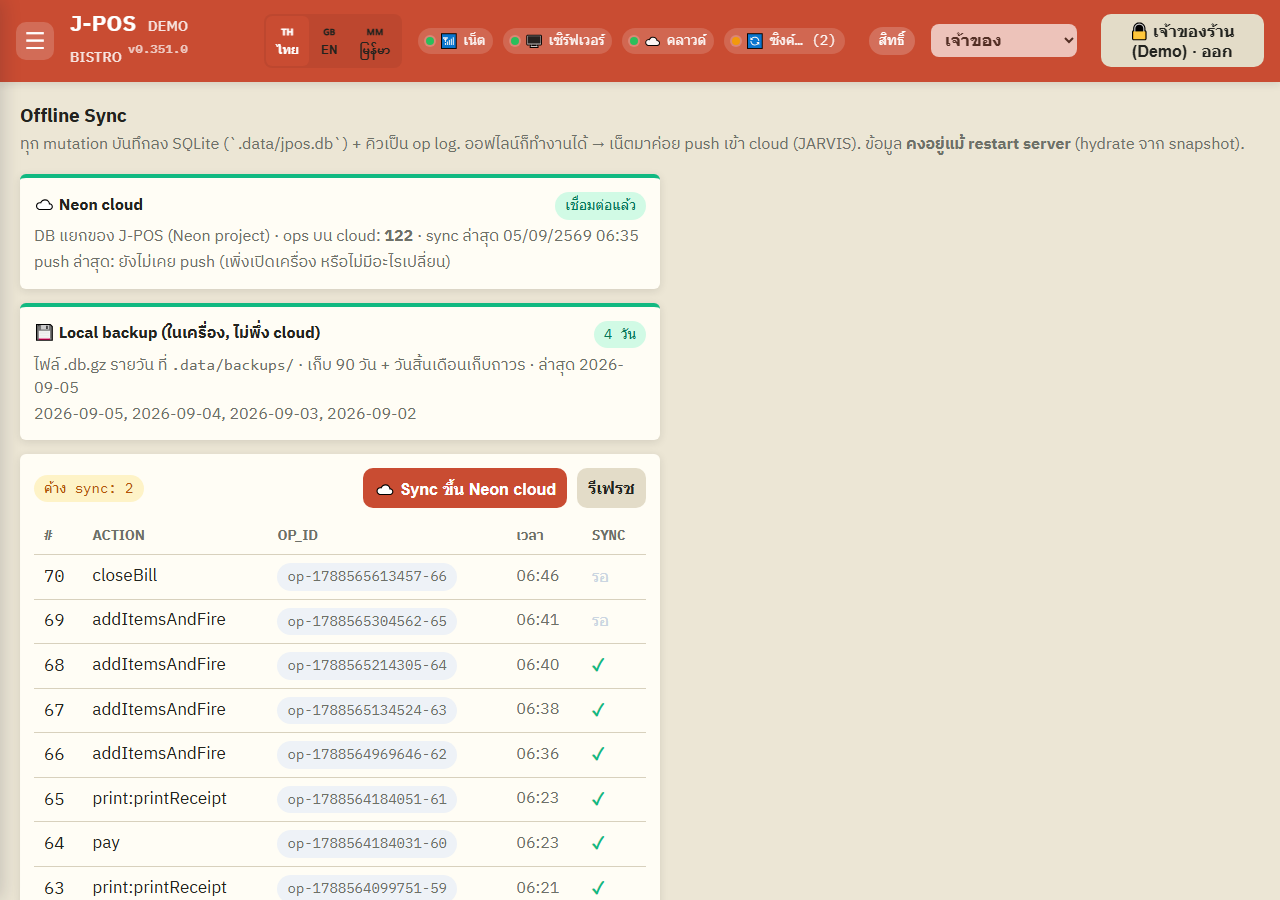
A “pending sync” badge shows how many records haven't been pushed to the cloud yet — press “☁️ Sync to Neon cloud” to push immediately without waiting for the automatic cycle (the system already pushes periodically on its own; this button is for when you need it sooner).
Open full size Review the pending / synced operation log
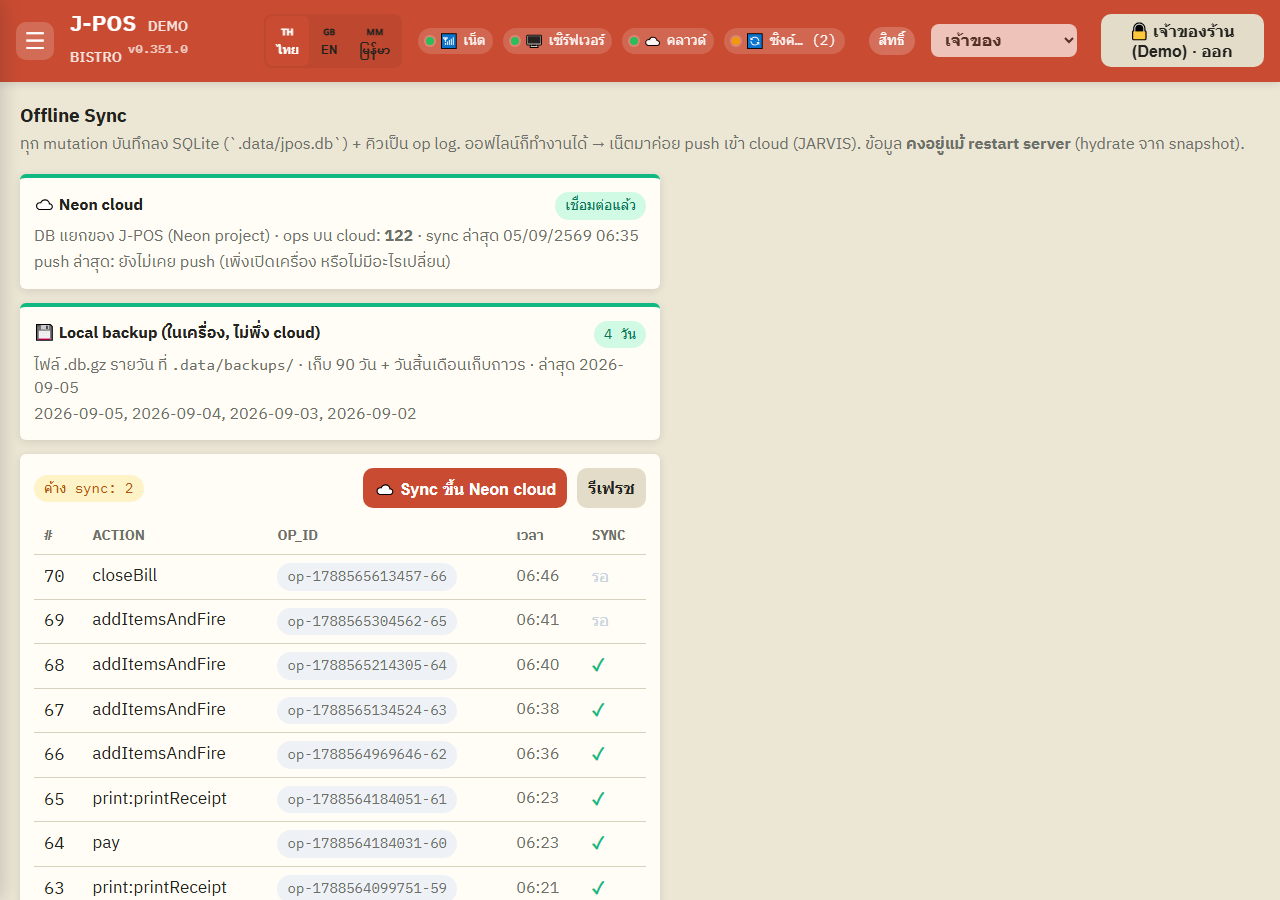
The table below lists this machine's recent changes one by one, with the action type, timestamp, and either a ✓ (synced) or “pending” marker.
Open full size Check the local backup status
The “Local backup” card shows how many days of backup files exist on this machine (entirely separate from the cloud), along with the most recent date — a second layer of protection for whenever the cloud connection has trouble.
Open full size
Common points of confusion
Selling keeps working on the shop network when the internet drops
The system is built to always save sales locally first (it never waits for a successful cloud push before allowing the next sale) — losing internet mid-service doesn't stop ordering, billing, ticket printing or shifts on the shop network (members, points and bookings need the internet). Only the "pending sync" count grows until the connection comes back.
The local-backup card is entirely independent of the cloud
Even if the cloud connection was never configured, or is currently broken, the “Local backup” card still works and displays normally, since it's a disk-backup mechanism on the machine itself, with no dependency on the cloud at all.
Testing on a single instance may not show the full picture (known gap)
This page is designed to show sync between the "in-shop machine" (offline-first) and the "central cloud database" shared across multiple devices in the shop. Testing it in a single-instance environment only shows half the picture — the Neon cloud card can confirm the central database connection is real, but there's no second machine reading the same data live to compare against. That's a limitation of the test environment, not a feature bug.